A print shop in your pocket. Drop in any PDF and turn it into a folded booklet, a cut-and-stack set, or a cleanly trimmed file — built for yeshivah offices, in Hebrew and English.
From file to finished stack in three steps
Four workflows, one decision each
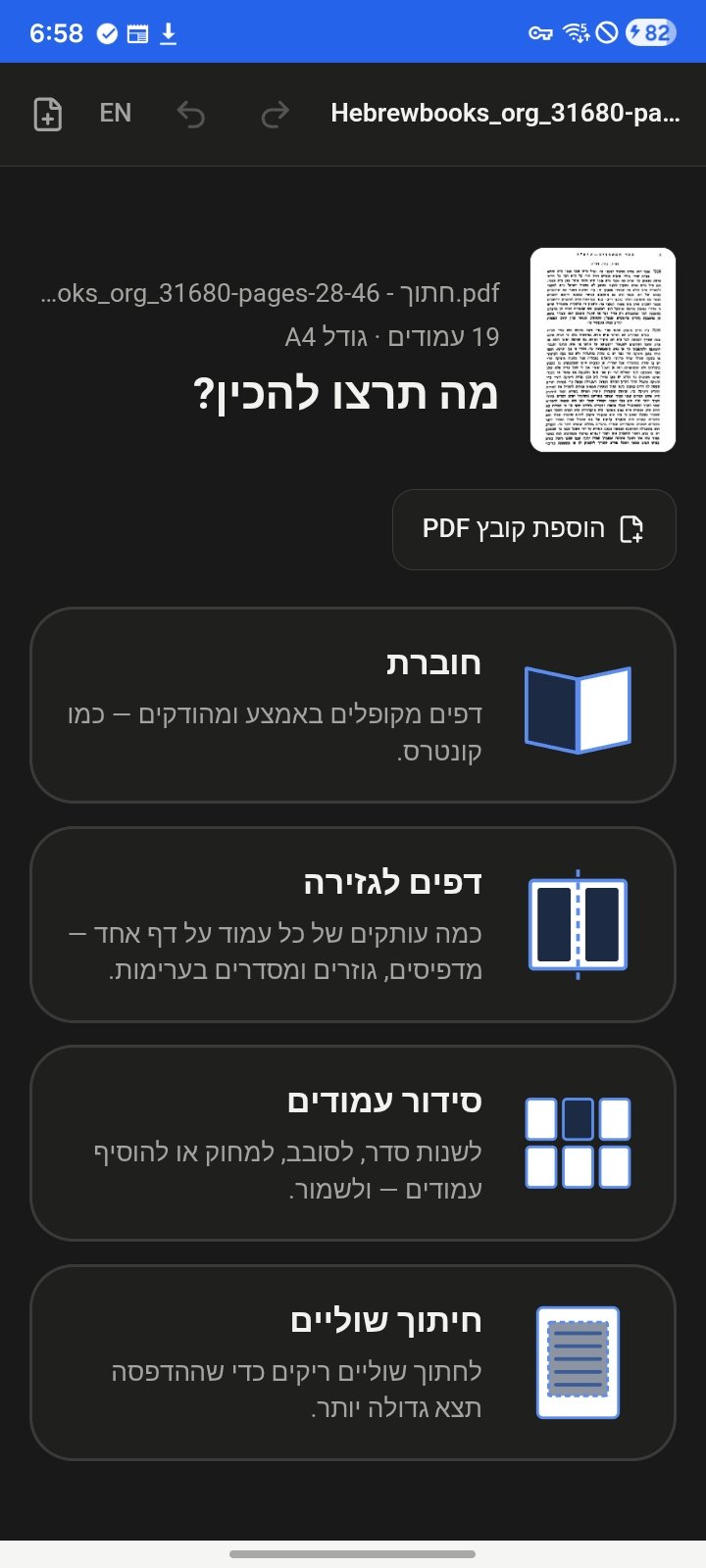
No toolbars, no jargon. You answer a single question — what do you want to make? — and the app handles the rest.
Booklet (חוברת)
Pages folded in the middle and stapled — like a קונטרס. Page order, imposition, and binding direction handled for you.
Pages to cut (דפים לגזירה)
Copies of every page on one sheet. Print, cut, stack — many copies, fast.
Arrange pages (סידור עמודים)
Drag and drop to reorder, rotate, delete, or add pages.
Trim margins (חיתוך שוליים)
Auto-detects the printed area, or drag the crop box yourself. More text on every page.
Booklets, done right
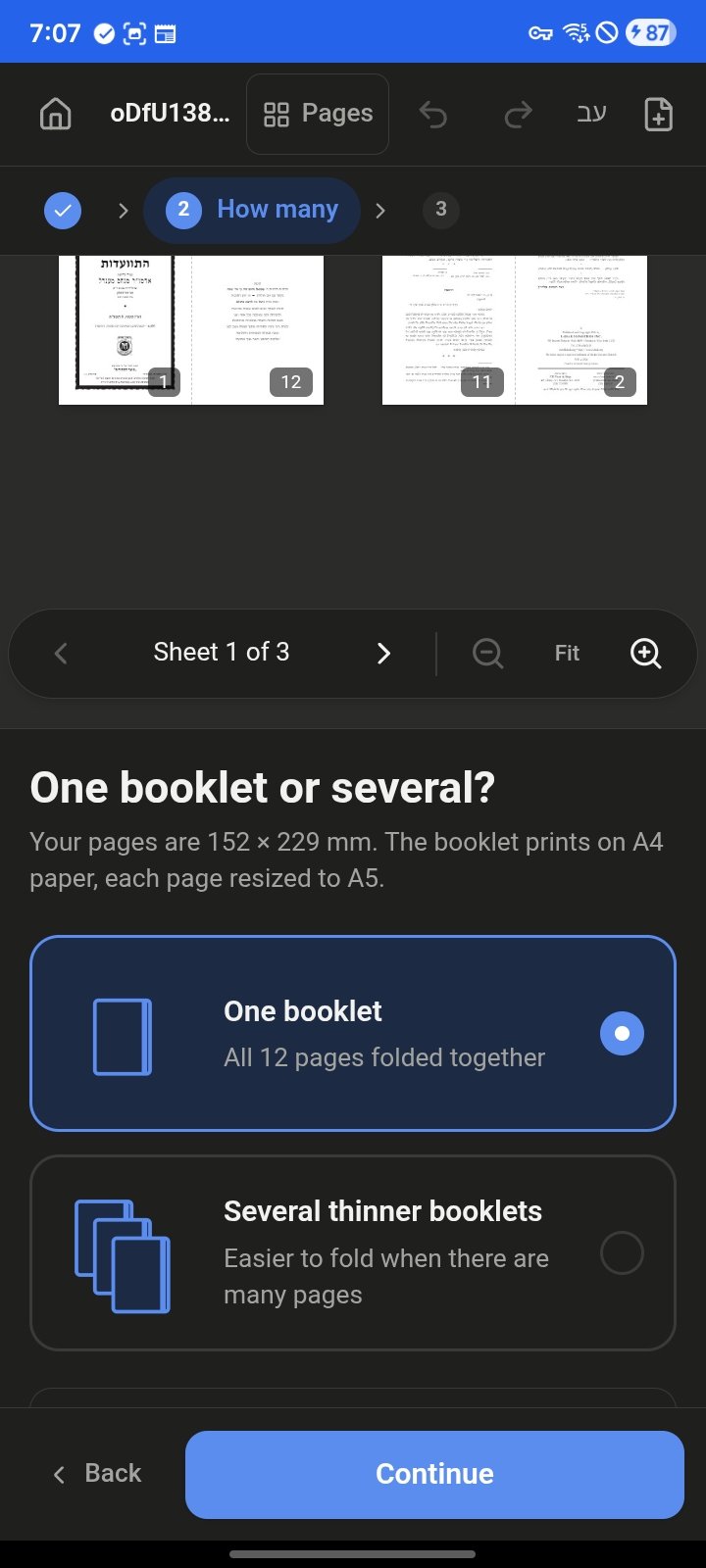
A booklet isn't just small pages — the sheets have to be imposed so everything lands in order after folding. The app does the signature math for you:
One booklet or several? Big jobs can be split into thinner signatures that fold cleanly — the same technique real print shops use, as a one-tap choice.
Ready to export
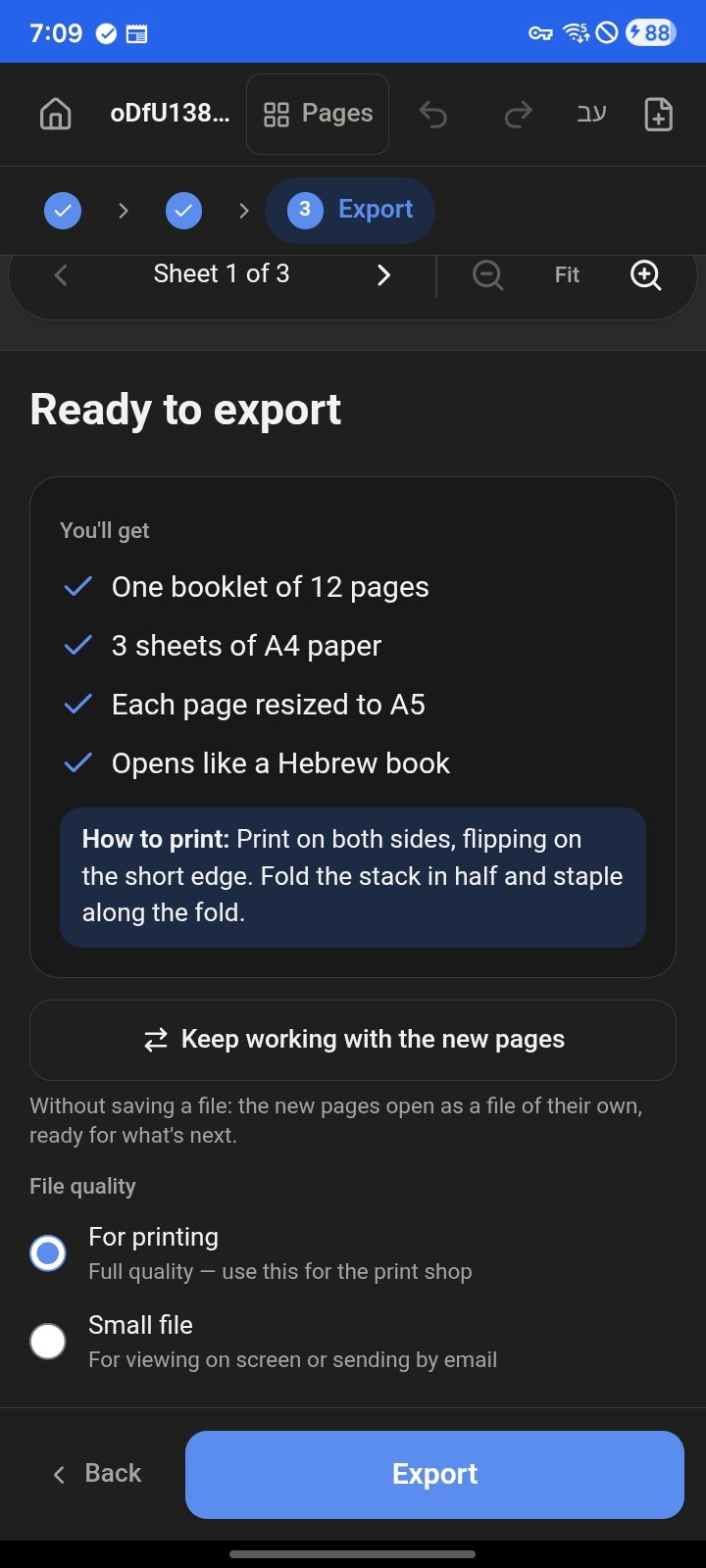
The last screen tells you exactly what you're getting and how to print it — in plain language, not print-shop jargon:
How to print: print on both sides, flipping on the short edge. Fold the stack in half and staple along the fold.
- Opens like a Hebrew book — right-to-left binding is built in, not an afterthought.
- Two quality options — full quality for the print shop, small file for email or screen.
- Keep working — chain operations on the new pages without saving in between.
Made for the yeshivah print room
Someone preparing a קונטרס for Shabbos shouldn't need a graphic-design degree. Every screen asks one question, shows a big accurate preview, and keeps the advanced controls one tap away.